 Lattika
Arrange your Mac's windows with the Shortcuts app
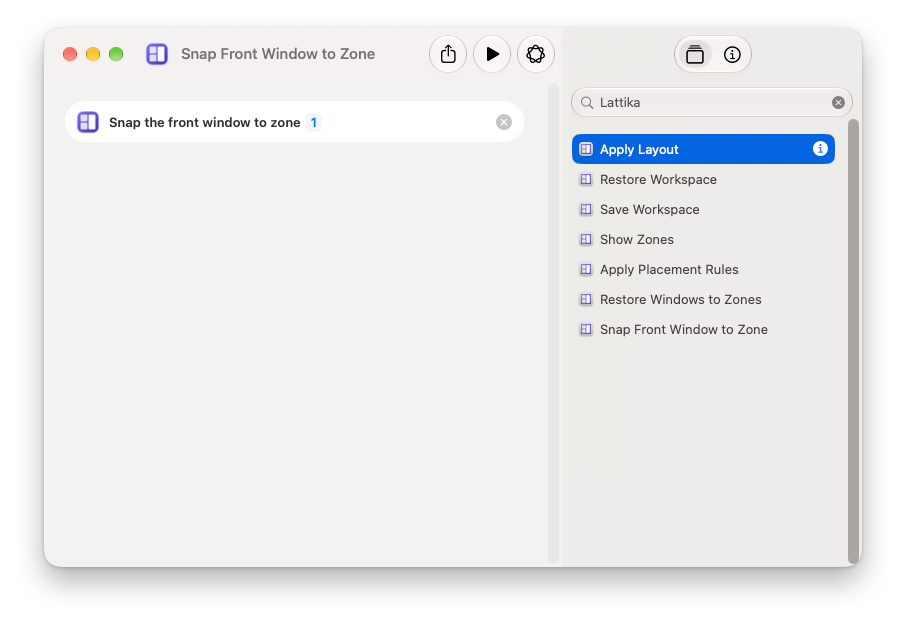
Lattika adds seven actions to the Shortcuts app. Put them together and one shortcut switches your displays to the right layouts, opens your apps and puts every window in its zone. Run it from Spotlight, the menu bar or a key.
Download free trial
14-day full trial · One-time purchase · Signed and notarized by Apple
The actions
| Action | What it does |
|---|---|
| Apply Layout | Switches one display, or every display, to a layout. |
| Restore Workspace | Puts every window of a saved workspace back, and can open apps that are not running. Returns the number of windows moved. |
| Save Workspace | Records where the current windows are, under a name. |
| Snap Front Window to Zone | Moves the front window into a zone of its display's layout. |
| Restore Windows to Zones | Puts every remembered window back into its zone. |
| Apply Placement Rules | Runs your rules for apps over every open window. |
| Show Zones | Flashes the zones of every display. |
Example: set up your desk with one shortcut
- Arrange your windows the way you like them, then choose Workspaces › Save Current Windows… in Lattika's menu and name it, for example Desk.
- In Settings › Workspaces, select it and turn on Launch apps that are not running.
- In the Shortcuts app, create a shortcut named Start desk.
- Add Apply Layout and pick the layout for your monitor.
- Add Restore Workspace and pick Desk.
- Run it from Spotlight by typing its name, or give it a keyboard shortcut in its details.
More ideas
- Before you unplug. A shortcut with Save Workspace named Docked keeps your desk for tomorrow.
- Meetings. Apply Layout with Halves on the external display only, for a call next to your notes.
- Reading. Apply Layout with Reading Column on every display.
- Siri and Spotlight. Say or type “Show Lattika zones”, “Restore Lattika windows” or “Apply Lattika rules”.
For scripts
Lattika also answers lattika:// addresses, for the Open URLs action or for open in Terminal:
| Address | What it does |
|---|---|
lattika://snap?zone=2 | Snaps the focused window into zone 2. |
lattika://workspace?name=Desk | Restores the workspace named Desk. |
lattika://restore | Restores remembered windows to their zones. |
lattika://show-zones | Flashes the zones. |
Every action and address is described in the user guide, under The Shortcuts app and automation.